Breaking Changes – Part 1: Parser

Rubberduck 2.0 flips everything around.

When numbering versions, incrementing the “major” digit is reserved for breaking changes – and that’s exactly what Rubberduck 2.0 will introduce.

I have these changes in my own personal fork at the moment, not yet PR’d into the main repository.. but as more and more people fork the main repo I feel a need to go over some of the changes that are about to happen to the code base.

If you’re wondering, it’s becoming clearer now, that Rubberduck 2.0 will not be released until another couple of months – at this rate we’re looking at something like the end of winter 2016… but it’s going to be worth the wait.


Parser State

Parsing in Rubberduck 1.x was relatively simple:

  • User clicks on a command that requires a fresh parse tree;
  • Parser knows which modules have been modified since the last parse, so only the modified modules are processed by the ANTLR parser;
  • Once we have a parse tree and a set of Declaration objects for everything (modules, procedures, variables, etc.), we resolve the identifier usages we encounter as we walk the parse tree again, to one of these declarations;
  • Once identifier resolution is completed, the command can run.

The parse results were cached, so that if the Code Explorer processed the entire code base to show up, and then the user wanted to run code inspections or one of the refactor commands, they could be reused as long as none of the modules were modified.

Parsing in Rubberduck 2.0 flips this around and completely centralizes the parser state, which means the commands that require a fresh parse tree can be disabled until a fresh parse tree is available.

We’ve implemented a key hook that tells the parser whenever the user has pressed a key that’s changed the content of the active code pane. When the 2.0 parser receives this message, it cancels the parse task (wherever it’s at) for that module, and starts it over; anytime there’s a “ready” parse tree for all modules, the expensive identifier resolution step begins in the background – and once that step completes, the parser sends a message to whoever is listening, essentially saying “If you ever need to analyze some code, I have everything you need right here”.

Sounds great! So… What does it mean?

It means the Code Explorer and Find Symbol features no longer need to trigger a parse, and no longer need to even wait for identifier resolution to complete before they can do their thing.

It means no feature ever needs to trigger a parse anymore, and Rubberduck will be able to disable the relevant menu commands until parser state is ready to handle what you want to do, like refactor/rename, find all references or go to implementation.

It means despite the VBE not having a status bar, we can (read: will) use a command bar to display the current parser state in real-time (as you type!), and let you click that parser state command button to expand the parser/resolver progress and see exactly what little ducky’s working on in the background.

To be continued…

Resolver: still not perfect

I just found another bug in the rewritten 1.4.x resolver, and as much as I want to fix it (and I will)… part of me can’t help thinking if you encounter this bug, your code has greater problems than mine.

Picture this code:

Sub Foo()
     Dim Foo As New Foo
     With Foo
         With .Foo
             .Foo = 42
         End With 
         Bar .Foo.Foo
     End With
End Sub

Believe it or not, it compiles… and the 1.4.1 resolver works perfectly and correctly identifies who’s who and who’s calling what. Now what if we added a recursive call?

Sub Foo()
     Dim Foo As New Foo
     With Foo
         With .Foo
             .Foo = 42
         End With 
         Bar .Foo.Foo
     End With
     Foo
End Sub

The bug here, is that this Foo gets resolved as a call to the local variable, so renaming the procedure to DoSomething would leave that Foo unchanged.

Not too bad. I mean, nobody in their right minds would ever do that. (right?)

However, it gets worse: if we change Sub to Function, in the name of being able to identify a function’s return value, a matching identifier within the body of a function (or property getter) is resolved to the function (or getter) itself… so this part needs to be refined at bit.

Function Foo()
     Dim Foo As New Foo
     With Foo
         With .Foo
             .Foo = 42
         End With 
         Bar .Foo.Foo
     End With
     Foo
End Function

Every single Foo here, with the sole exception of the local declaration, resolves to a reference to the function.

I hope this bug doesn’t affect your code… for your sake – and that of whoever will be maintaining your code in the future.

If it does… v1.4.2 with certainly include a fix for this issue.


Update

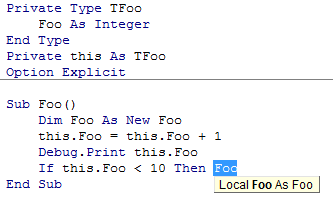
The non-resolving recursive call isn’t a bug:

it's a local!

You’ve waited long enough.

The wait is over!

I have to say that this release has been… exhausting. Correctly resolving identifier references has proven to be much, much more complicated than I had originally anticipated. VBA has multiple ways of making this hard: with blocks are but one example; user-defined-type fields are but another.

But it’s done. And as far as I could tell, it works.

Why did you tag it as “pre-release” then?

Because resolving identifier references in VBA is hard, and what I released is not without issues; it’s not perfect and still needs some work, but I believe most normal use cases are covered.

For example, this code will blow up with a wonderful StackOverflowException:

Class1

Public Function Foo() As Class2
    Set Foo = New Class2
End Function

Class2

Public Sub Foo()
End Sub

ThisWorkbook

Public Sub DoSomething()
    Dim Foo As New Class1
    With Foo
            .Foo
    End With
End Sub

It compiles, VBA resolves it. And it’s fiendish, and nobody in their right minds would do anything near as ambiguous as that. But it’s legal, and it blows up.

That’s why I tagged it as a “pre-release”: because there are a number of hair-pulling edge cases that just didn’t want to cooperate.

See, finding all references to “foobar” works very well here:

Public Sub DoSomething()
    Dim foobar As New Class1
    With foobar
        With .Foo
            .Bar
        End With
    End With
End Sub

…and finding all references to “Foo” in the below code will not blow up, but the “.Foo” in the 2nd with block resolves as a reference to the local variable “Foo”:

Public Sub DoSomething()
    Dim Foo As New Class1
    With Foo
        With .Foo
            .Bar
        End With
    End With
End Sub

And of course, there are a number of other issues still.

Here’s a non-exhaustive list of relatively minor known issues we’re postponing to 1.31 or other future release – please don’t hesitate to submit a new issue if you find anything that doesn’t work as you’d expect.

There can be only one

Rubberduck doesn’t [yet] handle cross-project references; while all opened VBA projects are parsed and navigatable, they’re all “silos”, as project references aren’t taken into account; this means if project A is referencing project B, and project A contains the only usage of a procedure defined in project B, then that procedure will fire up a code inspection saying the procedure is never used.

It also means “find all references” and “rename” will miss it.

self-referencing Parameters

“Find all references” has been seen listing the declaration of a parameter in its list of references. Not a biggie, but not intended either. There’s no explanation for that one, yet – in fact it’s possible you never even encounter this issue.

Selection Glitches From Code Inspection Results

We know what causes it: the length of the selection is that of the last word/token in the parser context associated with the inspection result. That’s like 80% fixed! Now the other 80% is a little bit tricky…

Performance

Code inspections were meant to get faster. They got more accurate instead. This needs a tune-up. You can speed up inspections by turning off the most expensive ones… although these are often the most useful ones, too.

Function return vAlue not assigned

There has been instances of [hard-to-repro] object-typed property getters that fire up an inspection result, when they shouldn’t. Interestingly this behavior hasn’t been reproduced in smaller projects. This inspection is important because a function (or property getter) that’s not assigned, will not return anything – and that’s more than likely a bug waiting to be discovered.

Parameter can be passed by value

This inspection is meant to indicate that a ByRef parameter is not assigned a value, and could safely be passed ByVal. However if such a parameter is passed to another procedure as a ByRef parameter, Rubberduck should assume that the parameter is assigned. That bit is not yet implemented, so that inspection result should be taken with a grain of salt (like all code inspection results in any static code analysis tool anyway).

This inspection will not fire up a result if the parameter isn’t a primitive type, for performance reason (VBA performance); if performance is critical for your VBA code, passing parameters by reference may yield better results.

Rubberduck 1.3: When the VBE becomes a real IDE

Parsing is hard!

Rubberduck parsing is being refined again. The first few releases used a hand-made, regex-based parser. That was not only unmaintainable and crippled with bugs, it also had fairly limited capabilities – sure we could locate procedures, variables, parameters… but the task was daunting and, honestly, unachievable.

Version 1.2 changed everything. We ditched the regex solution and introduced a dependency on ANTLR4 for C#, using an admittedly buggy grammar intended for parsing VB6 code. Still, the generated lexer/parser was well beyond anything we could have done with regular expressions, and we could implement code inspections that wouldn’t have been possible otherwise. That was awesome… but then new flaws emerged as we realized we needed more than that.

Version 1.3 will change everything again. Oh, we’re still using ANTLR and a (now modified) buggy grammar definition, but then we’re no longer going to be walking the parse tree all the time – we’re walking it once to collect all declarations, and then once to collect all usages of every single identifier we can find.


What does that mean?

Imagine a table where, for every declaration, you lay down information such as the code module where you found it, the exact location in the code file, the scope it’s in, whether it’s a class module, a standard module, a procedure, a function, a property get/let/setter, an event, a parameter, a local variable, a global constant, etc. – and then whether it has a return/declared type, what that type is, whether it’s assigned a reference upon declaration (“As New”) – basically, on that table lays the entire code’s wireframe.

Then imagine that, for everything on that table, you’re able to locate every single reference to that identifier, whether it’s an assignment, and exactly where that reference is located – at which position in which code file and in which scope.

The result is the ability to make the difference between an array index assignment and a function call. If VBA can figure out the code, so can Rubberduck.

This means the next few versions will start seeing very cool features such as…

  • Find all references – from a context menu in the Code Explorer tree view, or heck, why not from a context menu in the code pane itself!
  • GoTo implementations – easily navigate to all classes that implement a specific interface you’ve written.
  • GoTo anything – type an identifier name in a box, and instantly navigate to its declaration… wherever that is.
  • Safe delete – remove an identifier (or module/class) only if it’s not used anywhere; and if it’s used somewhere, navigate to that usage and fix it before breaking the code.
  • Rename refactoring – rename foo to bar, and only the “foo” you mean to rename; this isn’t a Find & Replace, not even a RegEx search – it’s a full-fledged “rename” refactoring à la Visual Studio!

Not to mention everything else that’s in store for v1.3 (did I say IDE-Integrated GitHub Source Control?) – stay tuned!

Version 1.2 will hit hard!

Rubberduck has had a decent unit testing feature since 1.0. Version 1.1 introduced a concept of code inspections – a proof of concept really, a sketch of a vision of what we wanted Rubberduck to do with the VBA code in the IDE.

Upcoming version 1.2 has undergone massive changes in the parsing strategy – going from a home-made regex-based solution to a full-blown ANTLR [slightly modified] Visual Basic 6.0 grammar generating a lexer and parser. As a result, code inspection capabilities have gone exactly where we envisioned them from the start.

Here’s what version 1.2 can find in your VBA code (in alphabetical order):

  • Implicit ByRef parameter
  • Implicit Variant return type (function/property get)
  • Multiple declarations in single instruction
  • Function return value not assigned
  • Obsolete Call statement
  • Obsolete Rem statement
  • Obsolete Global declaration
  • Obsolete Let statement
  • Obsolete type hint
  • Option Base 1 is potentially confusing
  • Option Explicit is not specified
  • Parameter can be passed by value
  • Parameter is not used
  • Variable is never assigned
  • Variable is never used
  • Variable type is implicitly Variant

And we have more on their way! …and that’s just code inspections.

Version 1.2 also introduces a Refactor menu, which allows extracting a method out of any valid selection – and future versions will allow inlining a method into its call sites, renaming any identifier (and updating its usages), reording/removing parameters from a signature (and updating usages), promoting a local variable to module-level, or extracting a whole interface out of a class module’s members… and more.

Version 1.2 also introduces an API for VBA code to integrate with GitHub source control, through the very same technology that allows Visual Studio 2013 to integrate with GitHub, using LibGit2Sharp. At this stage it’s pretty much what code inspections were in version 1.1: a proof of concept – but in future versions, expect to be able to manage source control for your VBA projects in a way similar to how you manage source control for your .NET projects – within the IDE itself!

Rubberduck 1.2 will hit hard… and our duck is still but a little duckling: VBA will never be the same when it grows all its, uh, rubber.