So Rubberduck lets you write unit tests for your VBA code. If you’re learning VBA, or if you’re a seasoned VBA developer but have never written a unit test before, this can sound like a crazy useless idea. I know, because before I started working on Rubberduck, that’s how I was seeing unit tests: annoying, redundant code that tells you nothing F5/debugging doesn’t already tell you.
Right? What’s the point anyway?
First, it changes how you think about code. Things like the Single Responsibility Principle start becoming freakishly important, and you begin to break that monolithic macro procedure into smaller, more focused chunks. Future you, or whoever inherits your code, will be extremely thankful for that.
But not all VBA code should be unit-tested. Let’s see why.
Know what NOT to test
All code has dependencies. Some of these dependencies we can’t really do without, and don’t really affect anything – global-scope functions in the VBA Standard Library, for example. Other dependencies affect global state, require user input (MsgBox, InputBox, forms, dialogs, etc.) or access external resources – like a database, the file system, …or a worksheet.
For the sake of this article, say you have a simple procedure like this:
Public Sub DoSomething()
    Dim conn As ADODB.Connection
    Set conn = New ADODB.Connection
    conn.ConnectionString = "{connection string}"
    conn.Open
    Dim rs As ADODB.Recordset
    Set rs = conn.Execute("SELECT * FROM dbo.SomeTable")
    Sheet1.Range("A1").CopyFromRecordset rs
    conn.Close
End Sub
The problematic dependencies are:
conn, an ADODB connection
rs, an ADODB recordset
Sheet1, an Excel worksheet
Is that procedure doomed and completely untestable? Well, as is, …pretty much: the only way to write a test for this procedure would be to actually run it, and verify that something was dumped into Sheet1. In fact, that’s pretty much automating F5-debug: it’s an integration test, not a unit test – it’s a test, but it’s validating that all components work together. It’s not useless, but that’s not a unit test.
Refactoring
The procedure needs to be parameterless, because it’s invoked from some button: so we have a major problem here – there’s no way to factor out the dependencies!
Or is there? What if we introduced a class, and moved the functionality into there?
Now we’d be looking at this:
Public Sub DoSomething()
    With New MyTestableMacro
        .Run
    End With
End Sub
At this point we tremendously increased the macro’s abstraction level and that’s awesome, but we didn’t really gain anything. Or did we? Now that we’ve decoupled the macro’s entry point from the implementation, we can pull out the dependencies and unit-test the MyTestableMacro class! But how do we do that?
Think in terms of concerns:
Pulling data from a database
Writing the data to a worksheet
Now think in terms of objects:
We need some data service responsible for pulling data from a database
We need some spreadsheet service responsible for writing data to a worksheet
The macro might look like this now:
Public Sub DoSomething()

    Dim dataService As MyDbDataService
    Set dataService = New MyDbDataService

    Dim spreadsheetService As Sheet1Service
    Set spreadsheetService = New Sheet1Service

    With New MyTestableMacro
        .Run dataService, spreadsheetService
    End With

End Sub
Now if we think of MyDbDataService as an interface, we could conceptualize it like this:
Option Explicit
'@Folder "Services.Abstract"
'@Interface IDataService

Public Function GetSomeTable() As Variant
End Function
And if we think of Sheet1Service as an interface, we could conceptualize it like this:
Option Explicit
'@Folder "Services.Abstract"
'@Interface IWorksheetService

Public Sub WriteAllData(ByRef data As Variant)
End Sub
Notice the interfaces don’t know or care about ADODB.Recordset: the last thing we want is to have that dependency in our way, so we’ll be passing a Variant array around instead of a recordset.
Now the Run method’s signature might look like this:
Public Sub Run(ByVal dataService As IDataService, ByVal wsService As IWorksheetService)
Notice it only knows about abstractions, not the concrete implementations. All that’s missing is to make MyDbDataService implement the IDataService interface, and Sheet1Service implement the IWorksheetService interface.
Option Explicit
Implements IDataService
'@Folder "Services.Concrete"

Private Function IDataService_GetSomeTable() As Variant
    Dim conn As ADODB.Connection
    Set conn = New ADODB.Connection
    conn.ConnectionString = "{connection string}"
    conn.Open
    Dim rs As ADODB.Recordset
    Set rs = conn.Execute("SELECT * FROM dbo.SomeTable")
    'dump the recordset onto a temp sheet:
    Dim tempSheet As Excel.Worksheet
    Set tempSheet = ThisWorkbook.Worksheets.Add
    tempSheet.Range("A1").CopyFromRecordset rs
    IDataService_GetSomeTable = tempSheet.UsedRange.Value '2D variant array
    conn.Close
    tempSheet.Delete
End Function
Stubbing the interfaces
So here’s where the magic begins: the macro will definitely be using the above implementation, but nothing forces a unit test to use it too. A unit test would be happy to use something like this:
Option Explicit
Implements IDataService
'@Folder "Services.Stubs"

Private Function IDataService_GetSomeTable() As Variant
    Dim result(1 To 50, 1 To 10) As Variant
    IDataService_GetSomeTable = result
End Function

Public Function GetSomeTable() As Variant
    GetSomeTable = IDataService_GetSomeTable
End Function
You could populate the array with some fake results, expose properties and methods to configure the stub in every way your tests require (depending on what logic needs to run against the data after it’s dumped onto the worksheet) – for this example though all we need is for the method to return a 2D variant array, and the above code satisfies that.
Then we need a stub for the IWorksheetService interface, too:
Option Explicit
Implements IWorksheetService
'@Folder "Services.Stubs"

Private written As Boolean
Private arrayPointer As Long

Private Sub IWorksheetService_WriteAllData(ByRef data As Variant)
    written = True
    arrayPointer = VarPtr(data)
End Function

Public Property Get DataWasWritten() As Boolean
    DataWasWritten = written
End Property

Public Property Get WrittenArrayPointer() As Long
    WrittenArrayPointer = arrayPointer
End Property
Writing the tests
That’s all our test needs for now. See where this is going? DoSomething is using concrete implementations of the service interfaces that actually do the work, and a unit test can look like this:
'@TestMethod
Public Sub GivenData_WritesToWorksheet()
    'Arrange
    Dim dataServiceStub As MyDataServiceStub
    Set dataServiceStub = New MyDataServiceStub
    Dim wsServiceStub As MyWorksheetServiceStub
    Set wsServiceStub = New MyWorksheetServiceStub

    'Act
    With New MyTestableMacro
        .Run dataServiceStub, wsServiceStub
    End With

    'Assert
    Assert.IsTrue wsServiceStub.DataWasWritten
End Sub
If MyTestableMacro.Run invokes IWorksheetService.WriteAllData, this test will pass.
One more:
'@TestMethod
Public Sub WorksheetServiceWorksOffDataFromDataService()
    'Arrange
    Dim dataServiceStub As MyDataServiceStub
    Set dataServiceStub = New MyDataServiceStub
    Dim expected As Long
    expected = VarPtr(dataServiceStub.GetSomeTable)

    Dim wsServiceStub As MyWorksheetServiceStub
    Set wsServiceStub = New MyWorksheetServiceStub

    'Act
    With New MyTestableMacro
        .Run dataServiceStub, wsServiceStub
    End With

    Dim actual As Long
    actual = wsServiceStub.WrittenArrayPointer

    'Assert
    Assert.AreEqual expected, actual
End Sub
If the worksheet service receives the exact same array that the data service returned, this test should pass.
That was a relatively trivial example – the overhead (5 classes, including 2 interfaces and 2 stub implementations) is probably not justified given the simplicity of the task at hand (pull data from a database, dump that data to a worksheet). But hopefully it illustrates a number of things:
How to pull dependencies out of the logic that needs to be tested.
How to abstract the dependencies as interfaces.
How to implement test stubs for these dependencies, and how stubs can expose members that aren’t on the interface, for the tests to consume.
How unit tests document what the code is supposed to be doing, through descriptive naming.
VBA code can be just as object-oriented as any other code, with full-blown polymorphism and dependency injection.
Next tutorial should be about MSForms.UserForm, how not to use it, and how to test code that needs to pop a dialog. I didn’t mention anything about Rubberduck’s Fakes framework here either, but know that if one of your dependencies is a MsgBox and you have different code paths depending on whether the user clicked [Ok] or [Cancel], you can use Rubberduck’s Fakes API to literally configure how the MsgBox statement is going to behave when it’s invoked by a Rubberduck test.
The release was going to include a number of important fixes for the missing annotation/attribute inspection and quick-fix, but instead we disabled it, along with a few other buggy inspections, and pushed the release – 7 months after 2.0.13, the last release was now over 1,300 commits behind, and we were reaching a point where we knew a “green release” was imminent, but also a point where we were going to have to make some more changes to parts of the core – notably in order to implement the fixes for these broken annotation/attribute inspections.
So we shipped what we had, because we wouldn’t jeopardize the 2.1 release with parser logic changes at that point.
Crossroads
By Hillebrand Steve, U.S. Fish and Wildlife Service [Public domain], via Wikimedia CommonsSo here we are, at the crossroads: with v2.1.0 released, things are going to snowball – there’s a lot on our plates, but we now have a solid base to build upon. Here’s what’s coming:
Castle Windsor IoC: hopefully-zero user-facing changes, we’re replacing good old Ninject with a new dependency injection framework in order to gain finer control over object destruction – we will end up correctly unloading!
That’s actually priority one: the port is currently under review on GitHub, and pays a fair amount of long-standing technical debt, especially with everything involving menus.
Annotation/Attributes: fixing these inspection, and the quick-fix that synchronizes annotations with module attributes and vice-versa, will finally expose VB module and member attributes to VBA code panes, using Rubberduck’s annotation syntax.
For example, adding '@Description("This procedure does XYZ") on top of a procedure will tell Rubberduck that you mean that procedure to have a VB_Description attribute; when Rubberduck parses that module after you synchronize, it will be able to use that description in the context status bar, or as tooltips in the Code Explorer.
IgnoreOnce: this quick-fix is supported by pretty much every single inspection, and means to insert an ‘@Ignore SomeInspectionNameannotation, but the current implementation has a bug that makes successive calls offset the insertion line, which obviously results in broken code.
This is considered a serious issue, because it affects pretty much every single inspection. Luckily there’s a [rather annoying and not exactly acceptable] work-around (apply the fix bottom-to-top in a module), but still.
But there’s a Greater Picture, too.
The 2.1.x Cycle
At the end of this development cycle, Rubberduck will:
Work in the VB6 IDE;
Have formalized the notion of an experimental feature;
Have a working Extract Method refactoring;
Make you never want to use the VBE’s Project References dialog ever again;
Compute and report various code metrics, including cyclomatic complexity and nesting levels, and others(and yes, line count too);
Maybe analyze a number of execution paths and implement some of the coolest code inspections we could think of;
Be ready to get really, really serious about a tear-tab AvalonEdit code pane.
If all you’re seeing is Rubberduck’s version check, the next version you’ll be notified about will be 2.1.2, for which we’re shooting for 2017-11-13. If you want to try every build until then (or just a few), then you’ll want to keep an eye on our releases page!
Last time I went over the startup and initialization of Rubberduck, and I said I was going to follow it up with how the parser and resolver work.
Just so happens that Max Dörner, who has pretty much owned the parser and resolver parts of Rubberduck since he joined the project (that’s right – jumped head-first into some of the toughest, most complicated code in the project!), has nicely documented the highlights of how parsing and resolving works.
So yeah, all I did here was type up an intro. Buckle up, you’re in for a ride!
Part 2: Parsing & Resolving
Rubberduck processes the code in all unprotected modules in a five-step process. First, in the parser state Pending, the projects and modules to parse are determined. Then, in the parser state LoadingReferences, the references currently used by the projects, e.g. the Excel object model, and some built-in declarations are loaded into Rubberduck. Following this, the actual processing of the code begins. Between the parser states Parsing and Parsed the code gets parsed into parse trees with the help of Antlr4. Following this, between the states ResolvingDeclarations and ResolvedDeclarations the module, method and variable declarations are generated based on the parse tree. Finally, between the states ResolvingReferences and Ready the parse trees are walked a second time to determine the references to the declarations within the code.
At each state change, an event is fired which can be handled by any feature subscribing to it, e.g. the CodeExplorer, which listens for the state change to ResolvedDeclarations.
A More Detailed Story
The entry point for the parsing process is the ParseCoordinator inside the Rubberduck.Parsingassembly. It coordinates the parsing process and is responsible for triggering the appropriate state changes at the right time, for which it uses a IParserStateManager passed to it. To trigger the different stages of the parsing process, the ParseCoordinator uses a IParsingStageService. This is a facade passed to it providing a unified interface for calling the individual stages, which are all implemented in an individual set of classes. Each has a concurrent version for production and a synchronous one for testing. The latter was needed because of concurrency problems of the mocking framework.
General Logistics
Every parsing run gets executed in fresh background task. Moreover, to always be in a consistent state, we allow only one parsing run to execute at a time. This is achieved by acquiring a lock in a top level method. This top level method is also the point at which any cancellation or unexpected exception will be caught and logged.
The first step of the actual parsing process is to set the overall parser state to Pending. This signals to all components of Rubberduck that we left a fully usable state. Afterwards, we refresh the projects cache on the RubberduckParserState asking the VBE for the loaded projects and then acquire a collection of the modules currenlty present.
Loading References
After setting the overall parser state to LoadingReferences, the declarations for the project references, i.e. the references selected in Tools –> References... , get loaded into Rubberduck. This is done using the ReferencedDeclarationsCollector in the Rubberduck.Parsing.ComReflectionnamespace, which reads the appropriate type libraries and generates the corresponding declarations.
Note that the order in the References dialog determines what procedure or field an identifier resolves to in VBA if two or more references define a procedure or field of the same name. This prioritization is taken into account when loading the references.
Unfortunately, we are currently not able to load all built-in declarations from the type libraries: there are some hidden members of the MSForms library, some special syntax declarations like LBound and everything related to Debug, and aliases for built-in functions like Left, where Leftis the alias for the actual hidden function defined in the VBA type library. These get loaded as a set of hand-crafted declarations defined in the Rubberduck.Parsing.Symbols.DeclarationLoadersnamespace.
Parsing the Code
At the start of the processing of the actual code, the parser state is set to Parsing. However, this time this is achieved by setting the individual modules states of the modules to be parsed and then evaluating the overall state.
Each module gets parsed separately using an individual ComponentParseTask from the Rubberduck.Parsing.VBA namespace, which is powered by the Antlr4 parser generator. The end result is a pair of two parse trees providing a structured representation of the code one time as seen in the VBE and one time as exported to file.
The general process using Antlr is to provide the code to a lexer that turns the code into a stream of tokens based on lexer rules. (The lexer rules used in Rubberduck can be found in the file VBALexer.g4 in the Rubberduck.Parsing.Grammar namespace.) Then this token stream gets processed by a parser that generates a parse tree based on the stream and a set of parser rules describing the syntactic rules of the language. (The VBA parser rules used in Rubberduck can be found in the file VBAParser.g4 in the Rubberduck.Parsing.Grammar namespace. However, there are more specialized rules in the project). The parse tree then consists of nodes of various types corresponding to the rules in the parser rules.
Even when counting the Antlr workflow described above as one step, the actual parsing process in the ComponentParseTask is a multi stage process in itself. This has two reasons: there are precompiler directives in VBA and some information regarding modules is hidden from the user inside the VBE, namely attributes.
The precompiler directives in VBA allow to conditionally select which code is alive. This allows to write code that would only be legal VBA after evaluating the conditional compilation directives. Accordingly, this has to be done before the code reaches the parser. To achieve this, we parse each module first with a specialized grammar for the precompiler directives and then hide all tokens that are dead after the evaluation from the VBA parser, including the precompiler directives themselves, by sending the tokens to a hidden channel in the tokenstream. Afterwards, the dead code is still part of the text representation of the tokenstream by disregarded by the parser.
To cover both the attributes, which are only present in the exported modules, and provide meaningful line numbers in inspection results, errors and the command bar, we parse both the attributes and the code as seen in the VBE code pane into a separate parse tree and save both on the ModuleState belonging to the module on the RubberduckParserState.
One thing of note is that Antlr provides two different kinds of parsers: the LL parser that basically parses all valid input for every not indirectly left-recursive grammar (our VBA grammar satisfies this) and the SLL parser, which is considerably faster but cannot necessarily parse all valid input for all such grammars. Both parsers are guaranteed to yield the same result whenever the parse succeeds at all. Since the SLL parser works for next to all commonly encountered code, we first parse using it and fall back to the LL parser if there is a parser error.
Following the parse, the state of the module is set to Parsed on a successful parse and to ParserError, otherwise. After all modules have finished parsing, the overall parser state is evaluated. If there has been any parser error, the parsing process ends here.
Resolving Declarations
After parsing the code into parse trees, it is time to generate the declarations for the procedures, functions, properties, variables and arguments in the code.
First, the state of all modules gets set to ResolvingDeclarations, analogous to the start of parsing the code. Then the tree walker and listener infrastructure of Antlr is used to traverse the parse trees and generate declarations whenever the appropriate grammar constructs are encountered. This is done inside the implementations of IDeclarationResolveRunner in the Rubberduck.Parsing.VBAnamespace.
Note that there is still some information missing on the declarations at this point that cannot be determined in this first pass over the parse trees. E.g. the supertypes of classes implementing the interface of another class are not known yet and, although the name of the type of each declaration is already known, the actual type might not be known yet. For both cases we first have to know all declarations.
After the parse trees of all modules have been walked, the overall parser state gets set to ResolvedDeclarations, unless there has been an error, which would result in the state ResolverError and an immediate stop of the parsing run.
Resolving References
After all declarations are known, it is possible to resolve all references to these declarations within the code, beit as types, supertypes or in expressions. This is done using the implementations of IReferenceResolveRunner in the Rubberduck.Parsing.VBA namespace.
First, the state of the modules for which to resolve the references gets set to ResolvingReferencesand the overall state gets evaluated. Then the CompilationPasses run. In these the type names found when resolving the declarations get resolved to the actual types. Moreover, the type hierarchy gets determined, i.e. super- and and subtypes get added to the declarations based on the implements statements in the code.
After that, the parse trees get walked again to find all references to the declarations. This is a slightly complicated process because of the various language constructs in VBA. As a side effect, the variables not resolving to any declaration get collected. Based on these, new declarations get created, which get marked as undeclared. These form the basis for the inspection for undeclared variables.
After all references in a module got resolved, the module state gets set to Ready. If there is some error, the module state gets set to ResolverError. Finally, the overall state gets evaluated and the parsing run ends.
Handling State Changes
On each change of the overall state, an event is raised to which other features can subscribe. Examples are the CodeExplorer, which refreshes on the change to ResolvedDeclarations, and the inspections, which run on the change to Ready.
Handling any state change but the two above is discouraged, except maybe for the change to Pending or the error states if done to disable things. The problem with the other states is that they may never be encountered during a parsing run due to optimizations. Moreover, Rubberduck is generally not in a stable state between Pending and ResolvedDeclarations. Features requiring access to references should generally only handle the Ready state.
Events also get raised for changes of individual module states. However, it should be preferred to handle overall state changes because module states change a lot, especially in large projects.
IMPORTANT: Never request a parse from a state change handler! That will cancel the current parse right after the handlers for this state in favor of the newly requested one.
Doing Only What Is Necessary
When parsing again after a successful parsing run, the easiest way to proceed is to throw away all information you got from the last parsing run and start from scratch. However, this is quite wasteful since typically only a few modules change between parsing runs. So, we try to reuse as much information as possible from prior parsing runs. Since our VBA grammar is build for parsing entire modules the smallest unit of reuse of information we can work with is a module.
We only reparse modules that satisfy one of three conditions: they are new, modified, or not in the state Ready. For the first two conditions it should be obvious why we have to reparse such modules. The question is rather how we evaluate these conditions.
To be able to determine whether a module has changed, we save a hash of the code contained in the module whenever the module gets parsed successfully. At the start of the parsing run, we compare the saved hash with the hash of the corresponding freshly loaded component to find those modules with modified content. In addition we save a flag on the module telling us whether the content hash has ever been saved. If this is not the case, the module is regarded as new.
For the third condition the question is rather why we also reparse such modules. The reason is that such modules might be in an invalid state although the content hash had been written in the last parsing run. E.g. they might have encountered a resolver error or they got parsed successfully in the last parsing run, but the parsing run got cancelled before the declarations got resolved. In these cases the content hash has already been saved so that the module is neither considered to be new nor modified. Consequently, it would not be considered for parsing and resolving if only modules satisfying one of the first two conditions were considered. Because of the possibility of such problems, we rather err on the save side and reparse every module that has not reached the success state Ready.
Since reparsing makes all information we previously acquired about the module invalid, we have to resolve the declarations anew for the modules we reparse. Fortunately, the base characteristics of a declaration only depend on the module it is defined in. So, we only have to resolve declarations for those modules that get reparsed. For references the situation is more complicated.
Since all declarations from the modules we reparse get replaced with new ones, all references to them, all super- and subtypes involving the reparsed modules and all variable and method types involving the reparsed modules are invalid. So, we have to re-resolve the references for all modules that reference the reparsed modules. To allow us to know which modules these are we save the information which module references which other modules in an implementation of IModuleToModuleReferenceManager accessed in the ParseCoordinator via the IParsingCacheService facade. This information gets saved whenever the references for all modules have been resolved successfully, even before evaluating the overall parser state.
In addition to the modules that reference modules that got reparsed, we also re-resolve those modules that referenced modules or project references having just been removed. This is necessary because the references might now point to different declarations. In particular, a renamed module is treated as unrelated to the old one. This means that renaming a module looks to Rubberduck like the removal of the old module and the addition of a new module with a new name.
The final optimization in place on a reparse is that we do not reload the referenced type libraries or the special built-in declarations every time. We just reload those we have not loaded before.
Caching and Cache Invalidation
If you have read the previous paragraph, you might have already realized that the additional speed due to only doing what is necessary comes at a cost: various types of cached data get invalid after parsing and resolving only some modules. So we have to remove the data at a suitable place in the parsing process. To achieve this the ParseCoordinator primarily calls different methods from the IParsingCacheService facade handed to it.
In the next sections we will work our way up from cache data for which you would probably seldom realize that we forgot to remove it to data for which forgetting to remove it sends the parser down in flames. After that, we will finish with a few words about refreshing the DeclarationFinder on the RubberduckParserState.
Invalid Type Declarations
The kind of cache invalidation problem you would probably not realize is that the type as which a variable is defined has to be replaced in case it is a user defined class and the class module gets reparsed; it now has a different declaration. This would probably just cause some issues with some inspections because the actual IdentifierReference tying the identifier to the class declaration is not related to the type declaration we save. Fortunately, the TypeAnnotationPass works by replacing the type declaration anyway. So, we just have to do that for all modules for which we resolve references.
Invalid Super- and Subtypes
As mentioned in the section about resolving references, we run a TypeHierarchyPass to determine the super- and subtypes of each class module (and built-in library). After reparsing a module, we have to re-resolve its supertypes. However, we also have to remove the old declaration of the module itself from the supertypes of its subtypes and from the subtypes of its supertypes, which has some further data invalidation consequences. Otherwise, the “Find all Implementations” dialog or the rename refactoring might produce …interesting results for the affected modules.
The removal of the super- and subtypes is performed via an implementation of ISupertypeCleareron all modules we re-resolve, including the modules we reparse, before clearing the state of the modules to be reparsed. Here, a removal of the supertypes is sufficient because everything is wired up such that manipulating the supertypes automatically triggers the corresponding change on the subtypes.
Invalid Module-To-Module References
As with all other reference caches, part of our cache saving which module references which other modules can become invalid when we re-resolve a module; it might just be that the the part referencing another module is gone. Fortunately, the way these references are saved does not depend on the actual declarations. So reparsing alone does not cause problems. This allows us to defer the removal of the module-to-module references to the reference resolver.
Being able to postpone the removal until we resolve references is fortunate because of potential problems with cancellations. We use the module-to-module references to determine which modules need to be re-resolved. If they got removed and the parsing run got cancelled before they got filled again in the reference resolver, we would potentially miss modules we have to re-resolve. Then the user would need to modify the affected modules in order to force Rubberduck to re-resolve them.
To handle this problem, the reference resolver itself has a cache of the modules to resolve, which is only cleared at the very end of its work. This is safe because the reference resolver only ever processes modules for which it can find a parse tree on the RupperduckParserState.
Invalid References
Invalid IndentifierReferences to declarations from previous parsing runs can cause any number of strange behaviors. This can range from selections referring to references that have once been at that line and column but having been removed in the meantime to refactorings changing things they really should not change.
It is rather clear that the references from all modules to be re-resolved should be removed. However, this is not as straightforward as it seems. The problem is that the references live in a collection on the referenced declaration and not in a collection attached to the module whose code is referencing the declaration. In particular, this makes it easy to forget to remove references from built-in declarations. To avoid such issues, we extracted the logic for removing references by a module into implementations of IReferenceRemover, which is hidden behind the IParsingCacheService facade.
Modules And Projects That No Longer Exist
Now we come to the piece where everything falls to pieces if we are not doing our job, modules and projects that get removed from the VBE. The problem is that some functionality like the CodeExplorer has to query information from the components in the VBE via COM Interop. If a component does no longer exist when the information gets queried, the parsing run will die with a COMException and there is little we can do about that. So we have to be careful to remove all declarations for no longer existing components right at the start of the parsing run.
To find out which modules no longer exist, we simply collect all the modules on the declarations we have cached and compare these to the modules we get from the VBE. More precisely, we compare the identifiers we use for modules, the QualifiedModuleNames. This will also find modules that got renamed. Projects are bit more tricky since they are usually treated as equal if their ProjectIds are the same; we save these in the project help file. Thus, we have to take special care for renamed projects. Knowing the removed projects, their modules get added to the removed modules as well.
Removing the data for removed modules and projects is a bit more complicated than for modules that still exist. After their declarations got removed, there is no sign anymore that they ever existed. So, we have to take special care to remove everything in the right order to guarantee that all information is gone already when we erase the declaration; after each step, the parsing run might be cancelled.
The final effect of removing modules is that the modules referencing the removed modules need to be re-resolved. Intuitively one might think that this will always result in a resolver error. However, keep in mind that renaming is handled as removing a module and adding another. Then the references will simply point to the new renamed module. Because of possible cancellations on the way to resolving the references, we immediately set the state of the modules to be re-resolved to ResolvingReferences. This has the effect that they will be reparsed in case of a cancellation.
Note that basically the same procedure is also necessary whenever we reload project references. Accordingly, we do this right after unloading the references, without allowing cancellations in between.
Refreshing the DeclarationFinder
Since declarations and references change in nearly all steps of the parsing process, we have to refresh our primary cached source of declarations, the DeclarationFinder, quite regularly when parsing. Unfortunately, this is a rather computation intensive thing to do; a lot of dictionaries get populated. So, we refresh only if we need to. E.g. we do not refresh after loading and unloading project references in case nothing changed. However, there are two points in each parsing run where we always have to refresh it: before setting the state to ResolvedDeclarations and before evaluating the overall state at the end of the parsing run, which results in the Ready state in the success path.
Refreshing before the change to ResolvedDeclarations is necessary to ensure that removed modules vanish from the DeclarationFinder before the handlers of this state change event run, including the CodeExplorer. We have to refresh again at the end because, from inside the ParseCoordinator, we can never be sure that the reference resolver did not do anything; it has its own cache of modules that need to be resolved.
One optimization done in the DeclarationFinder itself is that some collections are populated lazily, in particular those dealing only with built-in declarations. This saves the time to rebuild the collections multiple times on each parsing run. However, there is a price to pay. The primary users of the DeclarationFinder are the reference resolver and the inspections, both of which are parallelized. Accordingly, it can happen that multiple threads race to populate the collections. This is bad for the performance of the corresponding features. So, we make compromises by immediately populating the most commonly used collections.
Maybe you’ve browsed Rubberduck’s repository, or forked it to get a closer look at the source code. Or maybe you didn’t but you’re still curious about how it might all work.
I haven’t written a blog post in quite a long while (been busy!), so I thought I’d start a series that describes Rubberduck’s internals, starting at the beginning.
Part I: Starting up
Rubberduck embraces the Dependency Injection principle: depend on abstractions, not concrete implementations. Hand-in-hand with DI, the Inversion of Control principle describes how all the decoupled pieces come together. This decoupling enables testable code, which is fundamental when your add-in has a unit testing framework feature in any project of that size.
Because RD is a rather large project, instead of injecting the dependencies (and their dependencies, and these dependencies’ dependencies, and so on…) “by hand”, we use Ninject to do it for us.
We configure Ninject in the Rubberduck.Root namespace, more specifically in the complete mess of a class, RubberduckModule. I say complete mess because, well, a couple of things are wrong in that file. How it steals someone else’s job by constructing the menus, for example. Or how it’s completely under-using the conventions Ninject extension. The abstract factory convention is nice though: Ninject will automatically inject a generated proxy type that implements the factory interface – you never need a concrete implementation of a factory class!
The add-in’s entry point is located in Rubberdcuk._Extension, the class that the VBE discovers in the Windows Registry as an add-in to load. This class implements the IDTExtensibility2 interface, which looks essentially like this:
The Application object is the VBE itself – the very same VBE object you’d get in VBA from the host application’s Application.VBE property, and there are a number of things to consider in how these methods are implemented, but everything essentially starts in OnConnection and ends in OnDisconnection.
So we first get hold a reference to the precious Application and AddInInst objects that we receive here, but because we don’t want a direct dependency on the VBIDE API throughout Rubberduck, we wrap it with a wrapper type that implements our IVBE interface – same for the IAddIn(yes, we wrapped every single type in the VBIDE API type library; that way we can at least try to make Rubberduck work in VB6):
 var vbe = (VBE) Application;
 _ide = new VBEditor.SafeComWrappers.VBA.VBE(vbe);
 VBENativeServices.HookEvents(_ide);

 var addin = (AddIn)AddInInst;
 _addin = new VBEditor.SafeComWrappers.VBA.AddIn(addin) { Object = this };
Then InitializeAddIn is called. That method looks for the configuration settings file, and sets the Thread.CurrentUICulture accordingly. When we know that the settings aren’t disabling the startup splash, we get our build number from the running assembly and bring up the splash screen. Only then do we call the Startup method; when Startup returns (or throws), the splash screen is disposed.
The method is pretty simple:
private void Startup()
{
    var currentDomain = AppDomain.CurrentDomain;
    currentDomain.AssemblyResolve += LoadFromSameFolder;

    _kernel = new StandardKernel(
        new NinjectSettings {LoadExtensions = true},
        new FuncModule(),
        new DynamicProxyModule());
    _kernel.Load(new RubberduckModule(_ide, _addin));

    _app = _kernel.Get<App>();
    _app.Startup();

    _isInitialized = true;
}
We initialize a Ninject StandardKernel, load our module (give it our IVBE and IAddIn object references), get an App object and call its Startup method, where the funstuff begins:
public void Startup()
{
    EnsureLogFolderPathExists();
    EnsureTempPathExists();
    LogRubberduckSart();
    LoadConfig();
    CheckForLegacyIndenterSettings();
    _appMenus.Initialize();
    _hooks.HookHotkeys(); // need to hook hotkeys before we localize menus, to correctly display ShortcutTexts
    _appMenus.Localize();

    UpdateLoggingLevel();

    if (_config.UserSettings.GeneralSettings.CheckVersion)
    {
        _checkVersionCommand.Execute(null);
    }
}
The method names speak for themselves: we conditionally hit the registry looking for a legacy Smart Indenter key to import indenter settings from, and run the asynchronous “version check” command, which sends an HTTP request to http://rubberduckvba.com/build/version/stable, a URL that merely returns the version number of the build that’s running on the website: by comparing that version with the running version, Rubberduck can let you know when a new version is available.
That’s literally all there is to it: just with that, we have a backbone to build with. If we want a new command, we just implement an ICommand, and if that command goes into a menu we hook it up to a CommandMenuItem class. Commands often delegate their work to more specialized objects, e.g. a refactoring, or a presenter of some sort.
Next post will dive into how Rubberduck’s parser and resolver work.
Recently I asked on Twitter what the next RD News post should be about.
Seems you want to hear about upcoming new features, so… here it goes!
The current build contains a number of breakthrough features; I mentioned an actual Fakes framework for Rubberduck unit tests in an earlier post. That will be an ongoing project on its own though; as of this writing the following are implemented:
Fakes
CurDir
DoEvents
Environ
InputBox
MsgBox
Shell
Timer
Stubs
Beep
ChDir
ChDrive
Kill
MkDir
RmDir
SendKey
As you can see there’s still a lot to add to this list, but we’re not going to wait until it’s complete to release it. So far everything we’re hijackinghooking up is located in VBA7.DLL, but ideally we’ll eventually have fakes/stubs for the scripting runtime (FileSystemObject), ADODB (database access), and perhaps even host applications’ own libraries (stabbingstubbing the Excel object has been a dream of mine) – they’ll probably become available as separate plug-in downloads, as Rubberduck is heading towards a plug-in architecture.
The essential difference between a Fake and a Stub is that a Fake‘s return value can be configured, whereas a Stub doesn’t return a value. As far as the calling VBA code is concerned, that’s nothing to care about though: it’s just another member call:
[ComVisible(true)]
[Guid(RubberduckGuid.IStubGuid)]
[EditorBrowsable(EditorBrowsableState.Always)]
public interface IStub
{
    [DispId(1)]
    [Description("Gets an interface for verifying invocations performed during the test.")]
    IVerify Verify { get; }

    [DispId(2)]
    [Description("Configures the stub such as an invocation assigns the specified value to the specified ByRef argument.")]
    void AssignsByRef(string Parameter, object Value);

    [DispId(3)]
    [Description("Configures the stub such as an invocation raises the specified run-time eror.")]
    void RaisesError(int Number = 0, string Description = "");

    [DispId(4)]
    [Description("Gets/sets a value that determines whether execution is handled by Rubberduck.")]
    bool PassThrough { get; set; }
}
So how does this sorcery work? Presently, quite rigidly:
Not an ideal solution – the IFakesProvider API needs to change every time a new IFake or IStub implementation needs to be exposed. We’ll think of a better way (ideas welcome)…
So we use the awesomeness of EasyHook to inject a callback that executes whenever the stubbed method gets invoked in the hooked library. Implementing a stub/fake is pretty straightforward… as long as we know which internal function we’re dealing with – for example this is the Beep implementation:
As you can see the VBA7.DLL (the TargetLibrary) contains a method named rtcBeep which gets invoked whenever the VBA runtime interprets/executes a Beep keyword. The base class StubBase is responsible for telling the Verifier that an usage is being tracked, for tracking the number of invocations, …and disposing all attached hooks.
The FakesProvider disposes all fakes/stubs when a test stops executing, and knows whether a Rubberduck unit test is running: that way, Rubberduck fakes will only ever work during a unit test.
The test module template has been modified accordingly: once this feature is released, every new Rubberduck test module will include the good old Assert As Rubberduck.AssertClass field, but also a new Fakes As Rubberduck.FakesProvider module-level variable that all tests can use to configure their fakes/stubs, so you can write a test for a method that Kills all files in a folder, and verify and validate that the method does indeed invoke VBA.FileSystem.Kill with specific arguments, without worrying about actually deleting anything on disk. Or a test for a method that invokes VBA.Interaction.SendKeys, without actually sending any keys anywhere.
And just so, a new era begins.
Awesome! What else?
One of the oldest dreams in the realm of Rubberduck features, is to be able to add/remove module and member attributes without having to manually export and then re-import the module every time. None of this is merged yet (still very much WIP), but here’s the idea: a bunch of new @Annotations, and a few new inspections:
MissingAttributeInspection will compare module/member attributes to module/member annotations, and when an attribute doesn’t have a matching annotation, it will spawn an inspection result. For example if a class has a @PredeclaredId annotation, but no corresponding VB_PredeclaredId attribute, then an inspection result will tell you about it.
MissingAnnotationInspection will do the same thing, the other way around: if a member has a VB_Description attribute, but no corresponding @Description annotation, then an inspection result will also tell you about it.
IllegalAnnotationInspection will pop a result when an annotation is illegal – e.g. a member annotation at module level, or a duplicate member or module annotation.
These inspections’ quick-fixes will respectively add a missing attribute or annotation, or remove the annotation or attribute, accordingly. The new attributes are:
@Description: takes a string parameter that determines a member’s DocString, which appears in the Object Browser‘s bottom panel (and in Rubberduck 3.0’s eventual enhanced IntelliSense… but that one’s quite far down the road). “Add missing attribute” quick-fix will be adding a [MemberName].VB_Description attribute with the specified value.
@DefaultMember: a simple parameterless annotation that makes a member be the class’ default member; the quick-fix will be adding a [MemberName].VB_UserMemId attribute with a value of 0. Only one member in a given class can legally have this attribute/annotation.
@Enumerator: a simple parameterless annotation that commands a [MemberName].VB_UserMemId attribute with a value of -4, which is required when you’re writing a custom collection class that you want to be able to iterate with a For Each loop construct.
@PredeclaredId: a simple parameterless annotation that translates into a VB_PredeclaredId (class) module attribute with a value of True, which is how UserForm objects can be used without Newing them up: the VBA runtime creates a default instance, in global namespace, named after the class itself.
@Internal: another parameterless annotation, that controls the VB_Exposed module attribute, which determines if a class is exposed to other, referencing VBA projects. The attribute value will be False when this annotation is specified (it’s True by default).
Because the only way we’ve got to do this (for now) is to export the module, modify the attributes, save the file to disk, and then re-import the module, the quick-fixes will work against all results in that module, and synchronize attributes & annotations in one pass.
Because document modules can’t be imported into the project through the VBE, these attributes will unfortunately not work in document modules. Sad, but on the flip side, this might make [yet] an[other] incentive to implement functionality in dedicated modules, rather than in worksheet/workbook event handler procedures.
Rubberduck command bar addition
The Rubberduck command bar has been used as some kind of status bar from the start, but with context sensitivity, we’re using these VB_Description attributes we’re picking up, and @Description attributes, and DocString metadata in the VBA project’s referenced COM libraries, to display it right there in the toolbar:
Until we get custom IntelliSense, that’s as good as it’s going to get I guess.
TokenStreamRewriter
As of next release, every single modification to the code is done using Antlr4‘s TokenStreamRewriter – which means we’re no longer rewriting strings and using the VBIDE API to rewrite VBA code (which means a TON of code has just gone “poof!”): we now work with the very tokens that the Antlr-generated parser itself works with. This also means we can now make all the changes we want in a given module, and apply the changes all at once – by rewriting the entire module in one go. This means the VBE’s own native undo feature no longer gets overwhelmed with a rename refactoring, and it means fewer parses, too.
There’s a bit of a problem though. There are things our grammar doesn’t handle:
Line numbers
Dead code in #If / #Else branches
Rubberduck is kinda cheating, by pre-processing the code such that the parser only sees WS (whitespace) tokens in their place. This worked well… as long as we were using the VBIDE API to rewrite the code. So there’s this part still left to work out: we need the parser’s token stream to determine the “new contents” of a module, but the tokens in there aren’t necessarily the code you had in the VBE before the parse was initiated… and that’s quite a critical issue that needs to be addressed before we can think of releasing.
So we’re not releasing just yet. But when we do, it’s likely not going to be v2.0.14, for everything described above: we’re looking at v2.1 stuff here, and that makes me itch to complete the add/remove project references dialog… and then there’s data-driven testing that’s scheduled for 2.1.x…
Rubberduck has been offering IDE-integrated unit test since day one.
But let’s face it: unit testing is hard. And unit testing VBA code that pops a MsgBox isn’t only hard, it’s outright impossible! Why? Because it defeats the purpose of an automated test: you don’t want to be okaying message boxes (or worse, clicking No when the test needed you to click Yes), you want to run the tests and watch them all turn green!
So you had to implement some kind of wrapper interface, and write code that doesn’t call MsgBox directly – like the D of SOLID says, depend on abstractions, not on concrete types.
So you’d code against some IMsgBox wrapper interface:
Option Explicit
Public Function Show(ByVal prompt As String, _
 Optional ByVal buttons As VbMsgBoxStyle = vbOKOnly, _
 Optional ByVal title As String = vbNullString, _
 Optional ByVal helpFile As String, _
 Optional ByVal context As Long) As VbMsgBoxResult
End Function
And then you’d implement the concrete type:
Option Explicit
Implements IMsgBox
Private Function IMsgBox_Show(ByVal prompt As String, _
 Optional ByVal buttons As VbMsgBoxStyle = vbOKOnly, _
 Optional ByVal title As String = vbNullString, _
 Optional ByVal helpFile As String, _
 Optional ByVal context As Long) As VbMsgBoxResult
    IMsgBox_Show = MsgBox(prompt, buttons, title, helpFile, context)
End Function
Now that gets you compilable VBA code, but if you want to write a test for code where the result of a MsgBox call can influence the tested method’s code path, you need to make a fake implementation, and inject that FakeMsgBox into your code, so that your code calls not the real MsgBox function, but the fake implementation.
And if you want to verify that the code setup a vbYesNo message box with the company name as a title, you need to adapt your fake message box and make it configurable.
In other words, setting up fakes by hand is a pain in the neck.
So this is where Rubberduck tests are going:
'@TestMethod
Public Sub TestMethod1()
    On Error GoTo TestFail

    Fakes.MsgBox.Returns 42
    Debug.Print MsgBox("Flabbergasted yet?", vbYesNo, "Rubberduck") 'prints 42

    With Fakes.MsgBox.Verify
        .Parameter "prompt", "Flabbergasted yet?"
        .Parameter "buttons", vbYesNo
        .Parameter "title", "Rubberduck"
    End With
TestExit:
    Exit Sub
TestFail:
    Assert.Fail "Test raised an error: #" & Err.Number & " - " & Err.Description
End Sub
Soon. Very soon. Like, next release soon, Rubberduck will begin to allow unit test code to turn the actual MsgBox into a fake one, by setting up a Rubberduck fake.
The VB_Name attribute determines the identifier the class will be referred to in code; VB_GlobalNameSpace makes its members global which is kinda anti-OOP.. VB_Creatable can only be False in VBA projects, and means that other VBA projects cannot directly create a new instance of that class. VB_Exposed determines whether other VBA projects can see this class or not.
The one we’re interested in, is VB_PredeclaredId. If you export a UserForm module, you’ll notice it’s predeclaredId attribute is True. This is what allows you to work against a form without creating an instance – you’re using the default instance when you do that.. and you shouldn’t.
Normally.
Finding the cheapest hotel
Here’s a little problem that I’m going to solve in VBA, with full-blown OOP:
A hotel chain operating in Goa wishes to offer room reservation services. They have three hotels in Goa: GreenValley, RedRiver and BlueHills. Each hotel has separate weekday and weekend (Saturday and Sunday) rates. There are special rates for rewards customer as a part of loyalty program.Each hotel has a rating assigned to it.
GreenValley with a rating of 3 has weekday rates as Rs1100 for regular customer and Rs800 for rewards customer. The weekend rates are 900 for regular customer and 800 for a rewards customer.
RedRiver with a rating of 4 has weekday rates as Rs1600 for regular customer and Rs1100 for rewards customer. The weekend rates are 600 for regular customer and 500 for a rewards customer.
BlueHills with a rating of 5 has weekday rates as Rs2200 for regular customer and Rs1000 for rewards customer. The weekend rates are 1500 for regular customer and 400 for a rewards customer.
IMPORTANT: Before you read any further
This exercise isn’t about solving the problem. The problem is rather easy to solve. It’s about managing changes, writing code that can survive changes. Specifications are never carved in stone, they change all the time. Today the hotel chain has 3 hotels, tomorrow they might have 3,500. Today the hotel chain has two types of customers. Tomorrow they might have three; eventually the chain acquires another chain in another country, and then the prices need to be converted between USD and EUR before they can be compared. The foreign hotels might have different statutory holidays, and it wouldn’t matter until the CEO decided that July 4th reservations would be 25% off, but only in the US hotels.
This solution isn’t the one OOP way to do things. It’s a solution; your mileage may vary. There are many, many ways to do this – but a monolithic block of procedural code wouldn’t survive very long with the hectic reality depicted above, would it? Or it would, but then bugs would start appearing, and more changes would have to be made, perhaps introducing new bugs, too. Sounds familiar? Keep reading.
Okay. Ready?
So, let’s say I want to store information about some pricing rule, based on some DateType and some CustomerType. I could describe this type as follows (the enums don’t belong to the interface, they’re just public types that were convenient to define there):
Option Explicit

Public Enum CustomerType
    Regular
    Premium
End Enum

Public Enum DateType
    WkDay
    WkEnd
End Enum

Public Property Get DateType() As DateType
End Property

Public Property Get CustomerType() As CustomerType
End Property

Public Function ToString() As String
End Function
Let’s call this interface IPricingRuleInfo.
In well-designed OOP, one doesn’t design an interface to change. This IPricingRuleInfo interface will change, as soon as the requirements change and we need to expose a new property. But we’re going to use VBA interfaces differently here… just bear with me.
What we’re going to do with this interface, is a façade that the program will be written against, while we hide the implementation details.
The implementation would look like this:
Option Explicit

Private Type TInfo
    DateType As DateType
    CustomerType As CustomerType
End Type
Private this As TInfo

Implements IPricingRuleInfo

Public Property Get CustomerType() As CustomerType
    CustomerType = this.CustomerType
End Property

Public Property Let CustomerType(ByVal value As CustomerType)
    this.CustomerType = value
End Property

Public Property Get DateType() As DateType
    DateType = this.DateType
End Property

Public Property Let DateType(ByVal value As DateType)
    this.DateType = value
End Property

Public Property Get Self() As IPricingRuleInfo
    Set Self = Me
End Property

Public Function Create(ByVal dtType As DateType, ByVal custType As CustomerType) As IPricingRuleInfo
    With New PricingRuleInfo
        .DateType = dtType
        .CustomerType = custType
        Set Create = .Self
    End With
End Function

Private Property Get IPricingRuleInfo_CustomerType() As CustomerType
    IPricingRuleInfo_CustomerType = this.CustomerType
End Property

Private Property Get IPricingRuleInfo_DateType() As DateType
    IPricingRuleInfo_DateType = this.DateType
End Property

Private Function IPricingRuleInfo_ToString() As String
    IPricingRuleInfo_ToString = CStr(this.CustomerType) & ";" & CStr(this.DateType)
End Function
Notice this Create method: that’s the Factory Method, intended to be used from the default instance. The properties are instance members that really belong to an instance of the class; the implementation also exposes Property Let accessors, so that Create can assign the proprerty values of the instance to create and return.
The Self getter is a little trick that enables this neat With New syntax.
The private type helps remove awkward prefixes by legalizing identical field and property names, and if the class’ state ever needs to be serialized, it’s child play.
Any code that works with a PricingRuleInfo instance will have access to its setters and default instance. But the client code wouldn’t do that: the client code works with the IPricingRuleInfo interface, and know nothing of a default instance, a factory method, or Property Let members: it only sees CustomerType and DateType read-only values, and a ToString method that concatenates them into a string.
And now we can have an IPricingRule interface like this:
Option Explicit

Public Property Get RuleInfo() As IPricingRuleInfo
End Property

Public Function Evaluate(ByVal info As IPricingRuleInfo) As Currency
End Function
And then we can have as many implementations as we like – here, a simple one called FixedAmountPricingRule, that takes an amount at creation, encapsulates it, and then uses it to return a fixed amount when evaluating the rule:
Option Explicit

Private Type TRule
    RuleInfo As IPricingRuleInfo
    Amount As Currency
End Type
Private this As TRule

Implements IPricingRule

Private Property Get IPricingRule_RuleInfo() As IPricingRuleInfo
    Set IPricingRule_RuleInfo = this.RuleInfo
End Property

Private Function IPricingRule_Evaluate(ByVal info As IPricingRuleInfo) As Currency
    IPricingRule_Evaluate = this.Amount
End Function

Public Property Get RuleInfo() As IPricingRuleInfo
    Set RuleInfo = this.RuleInfo
End Property

Public Property Set RuleInfo(ByVal value As IPricingRuleInfo)
    Set this.RuleInfo = value
End Property

Public Property Get Amount() As Currency
    Amount = this.Amount
End Property

Public Property Let Amount(ByVal value As Currency)
    this.Amount = value
End Property

Public Property Get Self() As IPricingRule
    Set Self = Me
End Property

Public Function Create(ByVal info As IPricingRuleInfo, ByVal value As Currency) As IPricingRule
    With New FixedAmountPricingRule
        Set .RuleInfo = info
        .Amount = value
        Set Create = .Self
    End With
End Function
Again, we give this class a default instance by setting its VB_PredeclaredId attribute to True and re-importing the module into the project.
Next we’ll need an abstraction for hotels – enter IHotel:
Option Explicit

Public Property Get Name() As String
End Property

Public Property Get Rating() As Byte
End Property

Public Function CalculatePricing(ByVal info As IPricingRuleInfo) As Currency
End Function

Public Function GetDateType(ByVal value As Date) As DateType
End Function
Notice how the interface exposes nothing of IPricingRule. The implementation has a dependency on IPricingRule and IPricingRuleInfo, but knows nothing of the concrete types. Here’s the code:
Option Explicit

Private Type THotel
    PricingRules As New Scripting.Dictionary
    Name As String
    Rating As Byte
End Type
Private this As THotel
Implements IHotel

Public Property Get Name() As String
    Name = this.Name
End Property

Public Property Let Name(ByVal value As String)
    this.Name = value
End Property

Public Property Get Rating() As Byte
    Rating = this.Rating
End Property

Public Property Let Rating(ByVal value As Byte)
    this.Rating = value
End Property

Public Property Get Self() As IHotel
    Set Self = Me
End Property

Public Function Create(ByVal hotelName As String, ByVal stars As Byte, Optional ByVal rules As Collection = Nothing) As StandardHotel

    Dim rule As IPricingRule
    With New StandardHotel

        .Name = hotelName
        .Rating = stars

        If Not rules Is Nothing Then
            For Each rule In rules
                .AddPricingRule rule
            Next
        End If

        Set Create = .Self

    End With

End Function

Public Sub AddPricingRule(ByVal rule As IPricingRule)
    this.PricingRules.Add rule.RuleInfo.ToString, rule
End Sub

Private Function IHotel_CalculatePricing(ByVal info As IPricingRuleInfo) As Currency
    Dim rule As IPricingRule
    Set rule = this.PricingRules(info.ToString)
    IHotel_CalculatePricing = rule.Evaluate(info)
End Function

Private Function IHotel_GetDateType(ByVal value As Date) As DateType
    IHotel_GetDateType = IIf(Weekday(value, vbMonday) <= 5, WkDay, WkEnd)
End Function

Private Property Get IHotel_Name() As String
    IHotel_Name = this.Name
End Property

Private Property Get IHotel_Rating() As Byte
    IHotel_Rating = this.Rating
End Property
Notice the GetDateType function: it allows a given IHotel implementation to come up with funky creative ways to determine the DateType for a given date value.
Also interesting, the AddPricingRule procedure, which isn’t exposed by the IHotel interface, but that adds pricing rules to the encapsulated dictionary of pricing rules; given an IPricingRuleInfo instance, we can now calculate the price by evaluating the rule.
The HotelFinder class is just an object that encapsulates the logic to find the cheapest hotel, given two dates and a CustomerType:
Option Explicit

Private Type TFinder
    Hotels As Collection
End Type
Private this As TFinder

Public Property Get Hotels() As Collection
    Set Hotels = this.Hotels
End Property

Public Function FindCheapestHotel(ByVal fromDate As Date, ByVal toDate As Date, ByVal custType As CustomerType) As String

    Dim place As IHotel
    Dim checkedDate As Date

    Dim cheapestAmount As Currency
    Dim cheapestHotel As IHotel

    Dim hotelTotal As Currency
    For Each place In this.Hotels

        hotelTotal = 0
        For checkedDate = fromDate To toDate
            Dim info As IPricingRuleInfo
            Set info = PricingRuleInfo.Create(place.GetDateType(checkedDate), custType)
            hotelTotal = hotelTotal + place.CalculatePricing(info)
        Next

        If cheapestAmount = 0 Or hotelTotal < cheapestAmount Then
            cheapestAmount = hotelTotal
            Set cheapestHotel = place
        ElseIf hotelTotal = cheapestAmount And cheapestHotel.Rating > place.Rating Then
            'same price, but higher rating; higher rating gets precedence
            Set cheapestHotel = place
        End If

        Debug.Print place.Name, Format(hotelTotal, "$#,##0.00")
    Next

    FindCheapestHotel = cheapestHotel.Name

End Function

Private Sub Class_Initialize()
    Set this.Hotels = New Collection
End Sub

Private Sub Class_Terminate()
    Set this.Hotels = Nothing
End Sub
So, we iterate a collection of hotels, evaluate the stay at each one (output the amount to the debug pane), and return the name of the cheapest hotel.
At the top of the call stack lies a procedure that creates an instance of that HotelFinder, populates its Hotels collection, and ouputs the result of the FindCheapestHotel function. This is where we reap the benefits of OOP: initializing the hotels reads pretty much exactly like reading the specs.
Option Explicit

Public Sub Test(ByVal checkin As Date, ByVal checkout As Date, ByVal custType As CustomerType)
    Dim finder As New HotelFinder
    InitializeHotels finder
    Debug.Print finder.FindCheapestHotel(checkin, checkout, custType)
End Sub

Private Sub InitializeHotels(ByVal finder As HotelFinder)

    With StandardHotel.Create("Green Valley", 3)
        .AddPricingRule FixedAmountPricingRule.Create(PricingRuleInfo.Create(WkDay, Premium), 800)
        .AddPricingRule FixedAmountPricingRule.Create(PricingRuleInfo.Create(WkEnd, Premium), 800)
        .AddPricingRule FixedAmountPricingRule.Create(PricingRuleInfo.Create(WkDay, Regular), 1100)
        .AddPricingRule FixedAmountPricingRule.Create(PricingRuleInfo.Create(WkEnd, Regular), 900)
        finder.Hotels.Add .Self
    End With

    With StandardHotel.Create("Red River", 4)
        .AddPricingRule FixedAmountPricingRule.Create(PricingRuleInfo.Create(WkDay, Premium), 1100)
        .AddPricingRule FixedAmountPricingRule.Create(PricingRuleInfo.Create(WkEnd, Premium), 500)
        .AddPricingRule FixedAmountPricingRule.Create(PricingRuleInfo.Create(WkDay, Regular), 1600)
        .AddPricingRule FixedAmountPricingRule.Create(PricingRuleInfo.Create(WkEnd, Regular), 600)
        finder.Hotels.Add .Self
    End With

    With StandardHotel.Create("Blue Hills", 5)
        .AddPricingRule FixedAmountPricingRule.Create(PricingRuleInfo.Create(WkDay, Premium), 1000)
        .AddPricingRule FixedAmountPricingRule.Create(PricingRuleInfo.Create(WkEnd, Premium), 400)
        .AddPricingRule FixedAmountPricingRule.Create(PricingRuleInfo.Create(WkDay, Regular), 2200)
        .AddPricingRule FixedAmountPricingRule.Create(PricingRuleInfo.Create(WkEnd, Regular), 1500)
        finder.Hotels.Add .Self
    End With

End Sub
And we get output:
Test Now, Now + 3, Premium
Green Valley $3,200.00
Red River $4,400.00
Blue Hills $4,000.00
Green Valley
Is that over-engineered? As I said above, most definitely. But then, how would a Java, C#, or VB.NET solution look like? Not much different, save a PricingStrategyFactoryFactory class for the Java code of course! The point, again, was an exercise in writing code resistant to change, not just solving a problem. Now when the specs change and we need a new pricing rule that grants 20% off on the first Tuesday of every second month, we don’t need to change any code except for the code that initializes the hotels: we just implement the new functionality, without changing code that already works: that’s the Open/Closed Principle at play. In fact, I tried to depict all of SOLID in this code – I hope I did something like that.
The thing is, object-oriented code can definitively be written in VBA. This series of posts shows how. Let’s first debunk a few myths and misconceptions.
VBA classes don’t have constructors!
What’s a constructor but a tool for instantiating objects? In fact there are many ways to create objects, and in SOLID OOP code there shouldn’t be much Newing-up going on anyway: you would be injecting a factory or an abstract factory instead, to reduce coupling. VBA is COM, and COM loves factories. No constructors? No problem!
VBA code is inherently coupled with a UI or spreadsheet
In OOP, the ideal code has low coupling and high cohesion. This means code that doesn’t directly depend on MsgBox, or any given specific Worksheet or UserForm. Truth is, OOP code written in VB.NET or C# be it with WinForms or WPF UI frameworks, faces the same problems and can easily be written in the same “Smart UI” way that makes the UI run the show and the actual functionality completely untestable: bad code is on the programmer, not the language. And spaghetti code can be written in any language. The very same principles that make well-written VB.NET, C#, or Java code be good code, are perfectly applicable to VBA code.
Writing Object-Oriented VBA code is painful
Okay, point. The VBE’s Project Explorer does make things painful, by listing all class modules alphabetically under the same folder: it’s as if the IDE itself encouraged you to cram as much functionality as possible in as few modules as possible! This is where Rubberduck’s Code Explorer comes in to save the day though: with a simple comment annotation in each class’ declarations section, you can easily organize your project into virtual folders, nest them as you see fit, and best of all you can have a form, a standard module and a dozen class modules under the same folder if you want. There’s simply no reason to avoid VBA code with many small specialized class modules anymore.
OOP is overkill for VBA
After all, VBA is just “macros”, right? Procedural code was good enough back then, why even bother with OOP when you’re writing code in a language that was made to “get things done”, right? So we go and implement hundreds of lines of code in a worksheet event handler; we go and implement dialogs and thousands of lines of code in a form’s code-behind; we declare dozens upon dozens of global variables because “that’s how it was made to work”. Right? Nope.
It works, and everyone’s happy. Until something needs to change, and something else needs to change the week after, and then another feature needs to be added the next week, then a bug needs to be fixed in that new feature, and then fixing that bug ripples in unexpected places in the code; the beast eventually grows hair and tentacles, and you’re left sitting in front of a spaghetti mess.
And it’s hard to maintain, not because it’s VBA, but because it was written “to get things done”, but not to be maintained. This “ball of mud” code can happen in any language: it’s not the language, it’s the mentality. Most VBA developers are not programmers – code gets written the way it is because doing things in a SOLID way feels like going to the Moon and back to end up next door with the exact same functionality… and lots simply don’t know better, because nobody ever taught them. At least, that’s how it started for me.
Then there’s the IDE. You would like to refactor the code a bit, but there are no refactoring tools and no unit tests, and every change you make risks breaking something somewhere, because knowing what’s used where is terribly painful… and there’s no integrated source control, so if you make a change that the undo button doesn’t remember, you better remember what it looked like. And eventually you start commenting-out a chunk of code, or start having DoSomething_v2 procedures, and then DoSomething3. Soon you don’t know which code calls which version and you have more comments than live code. Without source control, it’s impossible to revert back to any specific version, and short of always working off a copy of the host document, code changes are done at the risk of losing everything.
No safety net. Pretty much no tooling. The VBE makes it pretty hard to work with legacy code – at least, harder than with a more modern, full-featured IDE.
Rubberduck will change that: Rubberduck wants to make writing object-oriented VBA code as enjoyable as in a modern IDE, and maintaining and refactoring legacy procedural code as easy and safe as possible.
Is OOP overkill for VBA? If it’s not overkill for even the tiniest piece of modern-language code, then I fail to see why it would be overkill for any VBA project. After all, SOLID principles are language-agnostic, and the fact that VBA doesn’t support class inheritance does nothing to affect the quality of the code that’s possible to achieve in VBA.
Wait, how would SOLID even apply to VBA?
The Single Responsibility Principle is a golden rule that’s as hard to follow in VBA as it is in any other language: write small procedures and functions that do one thing, prefer many small specialized modules over fewer, large ones.
The Open/Closed Principle, which leaves classes open for extension, closed for modification is even harder to get right, again regardless of the language. However like the others, if the other 4 principles are followed, then this one is just common sense.
Liskov Substitution Principle involves no wizardry, it’s about writing code so that an implementation of an interface guarantees that it does what the interface says it’s doing, so that any given implementation of an interface can be injected into the code, it will still run correctly.
The Interface Segregation Principle goes hand in hand with the other principles, and keeps your code cohesive, focused. Interfaces should not leak any specific implementation; an interface with too many members sounds like breaking SRP anyway.
The Dependency Inversion Principle is possibly the one that raises eyebrows, especially if you don’t know that VBA classes can implement interfaces. Yet it’s perfectly possible to write code against an IMsgBox interface, inject a MsgBoxImpl class in the production code, and inject a MsgBoxStub class in the test code.
See? Nothing VBA can’t handle. So object-oriented VBA code is theoretically possible. In the next couple of weeks we’ll go over what it means in real-world VBA code, in terms of project architecture, design patterns, and code design in general.
At first we were happy to just be able to inspect the code.
Quickly we realized “inspection quick-fixes” could be something else; some of the inspections’ quick-fixes are full-fledged automated refactoring operations. Renaming an identifier – and doing it right – is very different than just Ctrl+H/replace an identifier. Manually removing an uneeded parameter in an existing method breaks all call sites and the code no longer even compiles; Rubberduck sees all call sites, and knows which argument to remove everywhere to keep the code compiling.. and it’s much faster than doing it by hand!
Rubberduck 1.3 had Rename and Extract Method refactorings; v1.4.3 also had Remove Parameters and Reorder Parameters refactorings.
Rubberduck 2.0 introduces a few more.
The context menu commands are enabled depending on context; be it the current parser state, or the current selection.
Rename
That’s a pretty well-named refactoring. It deals with the impacts on the rest of the code base, of renaming pretty much any identifier.
Extract Method
Pretty much completely rewritten, v2.0 Extract Method refactoring is becoming pretty solid. Make a valid selection, and take that selection into its own member, replacing it with a call to the extracted code, all parameters and locals figured out for you.
Extract Interface
VBA supports interface inheritance; Rubberduck makes it easy to pull all public members of a module into a class that the original module then Implements. This is VBA’s own way of coding against abstractions. Unit tests love testing code that’s depending on abstractions, not concrete implementations, because then the tests can provide (“inject”) fake dependencies and test the applicative logic without triggering any unwanted side-effects, like displaying a message box, writing to a file, or to a database.
Implement Interface
Implementing all members of an interface (and all members of an interface must be implemented) can be tedious; Rubberduck automatically creates a stub method for every member of the interface specified in an Implements statement.
Remove/Reorder Parameters
Reworking a member’s signature is always annoying, because then you have to cycle through every single call site and update the argument list; Rubberduck knows where every call site is, and updates all call sites for you.
Move Closer to Usage
Variables should have the smallest possible scope. The “scope too wide” inspection uses this refactoring to move a declaration just above its first usage; it also works to rearrange “walls of declarations” at the top of a huge method you’re trying to cut into more manageable pieces.
Encapsulate Field
Fields are internal data, implementation details; objects shouldn’t expose public fields, but rather, encapsulate them and expose them as properties. Rubberduck turns a field into a property with only as much effort as it takes to name the new property.
Introduce Parameter/Field
Pretty much the antagonist of move closer to usage, this refactoring promotes a local variable to a parameter or a field, or a parameter to a field; if a new parameter is created, call sites will be updated with a “TODO” bogus argument that leaves the code uncompilable until an argument is supplied for the new parameter at all call sites.
More refactorings are planned for 2.1 and future versions, including Inline Method (the inverse of Extract Method), to move the body of a small procedure or function into all its call sites. Ideas for more refactorings and inspections? Suggest a feature!
Object-Oriented Programming (OOP) is really all about 4 little things:
Abstraction.
Encapsulation.
Polymorphism.
Inheritance.
To make things clear: there’s no inheritance in VBA. But it doesn’t matter, because we can easily compensate with composition, which is often a better design decision, even in languages that support class inheritance.
The key to OOP, is classes. Why? Because classes are a blueprint for objects, …which are kinda the whole point of OOP.
Abstraction
If you’ve been writing code, you’ve been making abstractions. A procedure is abstracting a series of executable operations; a module abstracts a group of related operations, even variables are an abstraction, abstracting the result of an operation.
Or is that too abstract?
Levels of abstraction
If you think of the steps required to, say, make coffee, you might think of something like this:
Make sure there’s water in the coffee maker
Make sure there’s coffee in the coffee maker
Start the coffee maker
That would certainly make coffee, right?
What sub-steps could there be to make sure there’s water in the coffee maker? And to make sure there’s coffee in the coffee maker? Or even to start the coffee maker? These sub-steps are at a lower level of abstraction than the 3 higher-level ones.
Clean code operates on a single level of abstraction, and calls into more and more specialized code: notice we don’t care where the water compartment is at the higher levels.
That’s why we put the public members at the top: because they’re at a higher level of abstraction than the private members they’re calling.
Classes are an important abstraction: they define objects, which encapsulate data and expose methods to operate on it.
Encapsulation
Similar to abstraction, encapsulation abstracts away implementation details, exposing only what other code needs to work with.
Global variables are pretty much the opposite of encapsulation; and if you have a public field in a class module, you’re not encapsulating your data.
Instead of exposing a field, you’ll be exposing properties. Property accessors can have logic in them, and that’s the beauty of encapsulation: you’re keeping a value to yourself, and telling the rest of the world only what it needs to know.
Polymorphism
If you’ve never worked with interfaces before, that one can be hard to grasp… but it’s the coolest thing to do in VBA, because it truly unlocks the OOP-ness of the language.
Once, I implemented IRepository and IUnitOfWork interfaces in VBA. These interfaces allowed me to run my code using “fake” repositories and a “mock” unit of work, so I was able to develop a little CRUD application in Excel VBA, and test every single bit of functionality, without ever actually connecting to a database.
That worked, because I wrote the code specifically to depend on abstractions – an interface is a wonderful abstraction. The code needed something that had the CRUD methods needed to operate on the database tables: it didn’t care whether that thing used table A or table B – that’s an implementation detail!
The ability of an object to take many forms, is called polymorphism. When code works against an IRepository object rather than a CustomerRepository, it doesn’t matter that the concrete implementation is actually a ProductRepository or a CollectionBasedTestRepository.
Inheritance
VBA doens’t have that, which is sometimes frustrating: the ability for a class to inherit members from another class – when two classes relate to each other in an “is-a” manner, inheritance is at play.
Yes, inheritance is one of the 4 pillars of OOP, and composition isn’t. But inheritance has its pros and cons, and in many situations composition has more pros than cons. Well, class inheritance at least, but in VBA class and interface inheritance would be intertwined anyway, because a VBA interface is nothing more than a class with empty members.
What of Composition?
In VBA instead of saying that a class “is-a” something, we’ll say that the class “has-a” something. Subtle, but important difference: most languages that do support inheritance only ever allow a given type to inherit from one, single class.
When an object encapsulates instances of other objects, it’s leveraging composition. If you want, you can expose each member of the encapsulated object, and completely simulate class inheritance.
Ok…
…So, what does that have to do with Rubberduck?
Everything. The Visual Basic Editor (VBE) isn’t really helping you to write Object-Oriented code. In fact, it’s almost encouraging you not to.
Think of it:
The only way to find an identifier in a project is to make a text search and iterate the results one by one, including the false results.
The more classes and modules you have, the harder organizing your project becomes. And when you realize you need some sort of naming scheme to more efficiently find something in the alphabetically-sorted Project Explorer, it’s too late to rename anything without breaking everything.
So people minimized the number of modules in their VBA projects, and wrote procedural code that can’t quite be tested because of the tight coupling and low cohesion.
Tested?
I don’t mean F5-debug “tested”; I mean automated tests that run a function 15 times with different input, tests that execute every line of application logic without popping a UI, hitting a database or the file system; tests that test one thing, tests that document what the code is supposed to be doing, tests that fail when the code changes and breaks existing functionality you thought was totally unrelated.
Rubberduck loves OOP
It was already the case when the current v1.4.3 release was published, and the upcoming v2.0 release is going to confirm it: Rubberduck is a tool that helps you refactor legacy VBA code to OOP, and helps you write testable – and tested – object-oriented VBA code.
The Find implementations feature is but an example of a wonderful object-oriented navigation tool: it locates and lets you browse all classes that implement a given interface. Or all members, wherever they are, that implement a given interface member.
Is OOP overkill for VBA? Sometimes. Depends what you need VBA for. But the IDE shouldn’t be what makes you second-guess whether it’s a good idea to push a language as far as it can go.


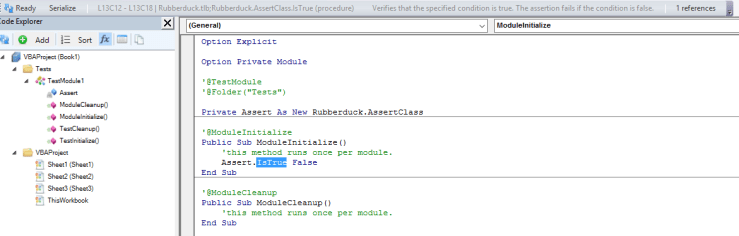


 Rubberduck News